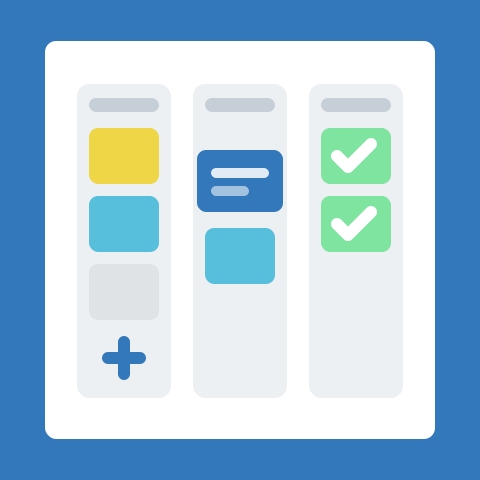
The fastest way to stall on a new tool is to try to design the perfect setup before you have any real work in it. AmazingBoards is built so the first ninety percent of the value comes from three simple steps: create a board, add a few cards, and invite your team. You can refine everything else once work is actually flowing.
This post walks through each.
1. Create your board
A board is the home for one workflow - a sales pipeline, client onboarding, weekly operations, whatever you need to track. Give it a clear name so anyone on your team knows what belongs there.
Most boards start with a few lists that represent the stages work moves through. A common starting point:
To Do → In Progress → Review → DoneDo not overthink the columns. You can rename, reorder, and add lists at any time, so start with the stages you already use in your head and adjust as you go.
2. Add lists and cards
Each card is a single piece of work: a task, a request, a deal, a customer. Add a card to the first list, give it a short title, and drag it between lists as the work progresses.
Cards hold more than a title when you need them to:
- Assignee - who owns this piece of work
- Due date - when it needs to be done
- Labels - a quick visual signal for priority, type, or client
- Checklist - break a card into smaller steps
- Comments - keep the discussion attached to the work
Start light. A title and an assignee are enough to make a card useful; add the rest only when a card actually needs it.
3. Invite your team
AmazingBoards is built for small teams working together, so a board is most useful once your teammates are on it. Invite them by email, and they will see the board, pick up their assigned cards, and start moving work alongside you.
Once your team is in, a few habits keep things flowing:
- Assign every card to someone so nothing is orphaned
- Use
@mentionsin comments to pull the right person in - Keep the board honest - a card’s list should reflect where the work really is
4. Turn on your first automation
Automations handle the small, repetitive steps so your team does not have to think about them. The easiest one to start with: automatically assign a card when it moves to a new list.
A first automation usually reads like a simple rule:
When a card is moved to "In Progress",
assign it to the person who moved it.
Other good starter automations:
- Set a due date when a card enters a specific list
- Post a comment or notify the team when a card lands in “Review”
- Move completed cards to “Done” and archive them after a week
Turn on one automation, watch it run for a day, then add more once you trust it.
Five-minute checklist
When you first sign in, work through this in order:
- Create a board and name it after a real workflow
- Add the lists that match your stages
- Add a handful of cards for work already in flight
- Invite your teammates and assign each card an owner
- Turn on one automation - auto-assign is a good first choice
That is enough to run real work. Refine the rest as you go.
Where to go next
Once your first board feels natural, there is more to explore: the extensions marketplace for connecting the tools you already use, and the AI assistant for drafting cards and summarizing where a board stands. But none of that is required on day one.
From sign-up to a working board in under five minutes, if you do not get distracted perfecting your column names.